Showing posts with label Alien Skin. Show all posts

Monday, December 22, 2008

Everything New is Old Again!

I suppose it was inevitable: as tech gets better and better that digital artists would want, one day, to make new stuff look like old stuff.

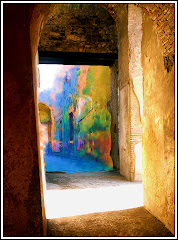
The photo to the left is a theater somewhere in rural Montana. It's a bright and vibrant building with colorful signage.

But, like so many things (including me) it seemed out of place, like it had been lifted out of another decade by some giant with a sense of humor and plunked down here.

This image was aged in under three minutes using some plug-ins and Photoshop tech. Here, in broad strokes, is how the image was created:

1) CONVERT IT TO BLACK AND WHITE. CS4 has a fabulous Adjustment Layer for this purpose. You want the B&W image to be sharp, so don't be afraid to us the Smart Sharpen tool from the Filters Menu.

2) Put the image into Sepia using any of a number of options. The fastest way to get a pleasing sepia tone is to go with Image> Adjustments> Photo Filter> Sepia. There's a live preview so you can get the precise amount of Speia you're after.

3) The edges were burned using a great little utility called (understandably enough) "Burnt Edges" from Alien Skin's Xenoflex 2 filter set.

4) The final effect, that pleasing little acid wash, was done with OnOne's Photo Frame Pro. (Which is NOT compatible with CS4 without an upgrade, by the way.)

The great thing, the REALLY great thing, about Plug-ins, is that if you take the time to learn them, they can save you TONS of time and still give you the exact effect you were after.


This shot of the Sydney Opera House was taken from a balcony on a cruise ship. Sheree and I (and about three thousand other people) were docked beside it. Frankly, it was a little disappointing. It was dirty and tired looking and I stood there, snapping shots and wondering if I would get any kind of worthwhile image out of it.

This effect was completed in about three minutes as well.

1) Convert to Black and White with CS4's B&W Adjustment Layer.

2) Use the Rectangular Marquee Tool to define a square and COPY that square onto it's own layer (PC: Control J).

3) Create a Stroke around this slightly smaller layer with the Layer Style options menu (That odd "fx" symbol at the bottom your Layers pallette) and choose a nice dark border (maybe 3 points). I like to add a Drop Shadow from the same menu as well...but that's just showing off.

4) Older Photographs had grain. I took a short cut and added the grain with Alien Skin's Exposure 2 package.

5) I manually added the Vignetting effect around the border of the image using the Burn Tool from the Toolbox.

It's always interesting to take a modern image: a race car, a space ship etc. and age the photo, so it looks like it was taken with a very old style camera. This creates a visual that makes an impact on the viewer because the visual style and the image portrayed don't match.

The effect can be very powerful. Try using in on a portrait. Add some bokeh. Use layers to create sepia and lens barrel effects. Blend the layers. Play around (oops I mean "investigate") the various blending options as you try one layer on top of another.

Have fun! If you come up with anything really cool, feel free to send it to me. I'd love to see it.

Friday, December 5, 2008

Bokeh is Here

"I am absolutely not buying any more filters or plug ins," I told myself as I looked in relative wonder at Alien Skin's latest contribution to the Photoshop universe.

It's called "Bokeh" and is a very easy to use simulation of the effect photographers spend a ton of money on specialized lenses and years of careful study to achieve.

Simply put, it's the selective blurring of portions of the image. This allows the artist to gently draw your attention to the precise area of the image he wants you to see.

Photographers are all a-flutter about bokeh technique because it also has the potential to add atmosphere and mood , create professional looking images and make you look way more skilled than you actually are. (I'm all for that.) It also hints that you have cash to burn, since actually shooting bokeh requires some pretty expensive lenses.
"Can't hurt to download the demo," I told myself with an innocent shrug. "It's only a demo. I'll use it for the thirty days and then I'll delete it. If tempted, I shall simply apply my iron will and remind myself this is simply a learning opportunity." I would have patted me on the back at this point if I could have reached back that far. I settled for squaring my jaw and looking sternly into the computer screen.

"Who's gonna spend two hundred bucks on a lens blur?" I said to myself. Again. I think I may have sputtered just a little in indignation at the very thought. But when I started using this plug-in my reserve started to waver and my iron will developed immediate rust. Bokeh by Alien Skin simulates the effect you'd get using some very specialized glass and it does it so easily that it's hard not to fall in love with it.

I still wasn't going to buy it, you understand. After all, I just upgraded to Photoshop CS4 and bought HDR software. In these times of economic uncertainty, you'd have to be crazy to drop another pile of cash on software, right?


With Bokeh, you can create a "Focus Region" using an oval selector or a planar. Make it big or little. Define the precise amount of blur you want. Set the precise areas of focus. (This is very precise stuff.)

The basic process takes about thirty seconds.

My mind started turning to some of the uses for Bokeh -- on the very off chance I would even consider buying it...not that this was an option I was actually considering, you understand.

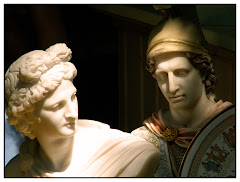
Portraits could be softened in an instant. Streetscapes could be created that would allow me to highlight the exact elements I want the viewer to see. Clutter is blurred away. Bokeh would add a whole new dimension to statue and building photography. I could even do campy things like make hearts in the blur area. (Okay. Probably not that.)

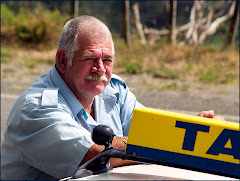
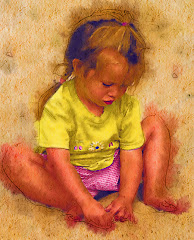
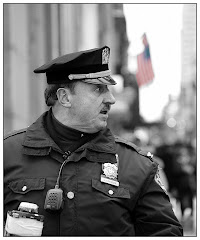
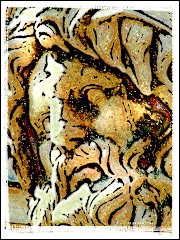
At this point I really started to investigate the options. Hugely expensive lenses are simulated flawlessly (I am "using" a Canon EF 50mm f/1.2LII @ f/2 here, which creates a 20% blur).


Use your imagination and pretend that you can source all the lenses in a camera store, pretend you understand precisely how to use them and that you've spent nine years on a mountaintop somewhere with a guru learning the disciplines and techniques of Bokeh. Okay?

Now pretend that you have the ability to take precisely the same shot with each of these lenses and that you know exactly what you're doing to create the bokeh effect you want. Yup. That's a lot of pretending, right?

Like let's pretend that I decided to take the exact same image again but this time I really wanted to highlight my subject...and created a 50% blur with some slight vignetting on the fringes which is the image just above.

Alien Skin's Bokeh starts falling into the "way cool" category pretty quickly.

Two hundred bucks suddenly didn't seem all that expensive. When you've stacked a little pile of money against the many thousands of dollars it would cost to outfit myself with all the necessary cameras, glass, classes and books I'd need to get these shots, two hundred bucks didn't seem too bad at all.

A bargain!

Why I would be insane to pass something like this up! Moreso, it was clearly my duty as a graphic artist to add this software package to my arsenal of visual options. In fact I owe it to the whole freaking world to pick it up!

I emailed Alien Skin, asked if they gave a discount to NAPP members and they took 10% off. Okay. So it's still $179. But I have to say that I am seriously thrilled with the package. Thrilled. I have been working with it for hours and I just keep getting "thrilled-er."

As with all Alien Skin software, the initial use is very simple (which is good because I am a very simple guy) but there are a ton of options and settings that will allow the artist to get the precise effect he is looking for. I haven't even really scratched the surface of what this software will do. But I wanted to tell you about it right away because it's something I really suggest you take a look at.

Download a fully functioning Bokeh demo from http://www.alienskin.com/ and tell yourself that it's only for 30 days and there's no way you will ever buy it.

Yeah. Sure.