Showing posts with label Photoshop Plugins. Show all posts

Sunday, April 25, 2010

Mystical Focus from Auto FX

It's been a bumper crop for new releases from the long silent Auto FX. You'll see information on Mystical Lighting & Ambiance 2.0 a little further down. But brand new on the market is another package called Mystical Focus.

I spent some time with Auto FX's Cliff Weems and asked him about Mystical Focus.

What sets this Mystical Focus apart from other options on the market?

Our framework allows us to dynamically render and combine different filters together. We can combine a Focal Plane with a Focal Brush effect then add in a Panning Focus to just a small part of the image. We have robust brush-on / brush-off tools as well as ellipse controls / path controls and focal mask controls that are really easy and fast to work with.

There is another release on the market that seems to have a similar "focus." How does Mystical Focus compare to Alien Skin's Bokeh release?

Jeff Butterworth has done a fantastic job with all the plug-ins at Alien Skin - they are a top notch company and we like all of their products. Our Focus has taken a creative approach to setting moods and looks and combining different filters together to generate new and exciting looks. Bokeh has taken more of a traditional approach to matching the camera lens types that a photographer can identify with.

When Bokeh was launched, the reaction from some parts of the market were "I can already do that in Photoshop." Can people make the same comment about MF?

If you take enough time you can do just about anything in Photoshop - but we have some looks that you'd be hard pressed to duplicate in Photoshop without spending tons of time. You can rapidly (in just a minute or less) combine filters and capture a look - I will stress that Mystical Focus is not a collection of Blur filters - it is MUCH, MUCH more.

What was the toughest part of this development?

Capturing the looks and making it easy to just brush-on / and go. Our customers need a FAST solution that lets them get creative right without spending a lot of time trying to get what they want. I am really anxious to see our multi-core engine come out as that will make much of our software close-to-real time and we want to do this for our customers very soon.

Who's the primary market for this package?

We see this being attractive to photographers who are both novice and looking to capture some high-end professional looks and moods as well as being attractive to the pro who values the artistry of the software and how it can help them in post-production. Even the best photographer / Photoshop artist has one commonality - saving time while providing a superior end-result / work of art to their customer.

That's it for the interview with Cliff Weens of Auto FX.

I've been working with Mystical Focus for a week and a half now, trying out the various filters.

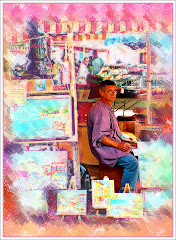
The effect at the top of this posting was accomplished in less than a minute. It uses the Radial Focus, which has a "global effect." An Ellipse can be applied to change the effect of the blur on the image.

The filter applies with lightning speed and I have been utterly delighted with how quickly professional effects can be applied and then customized to suit the precise parameters of the project.

There are eight Focal effects simulating a really broad spectrum of results.

The really interesting options are presented under the Atmosphere Menu. Here are six outstanding options that add the kind of stuff you expect like "Grain and Noise" to stuff you never expected like Highlight Smear and a Vignetting option guaranteed to blow your socks off.

Here is a filter set that hits a home run in areas like ease of use, and application speed. The interface is intuitive and extra Auto FX touches like instant explanation of the control your cursor is resting on eases the learning curve very significantly.

It's a package designed to save you time, vast amounts of it, even as it delivers genuinely clean and easy-to-customize results.

Overall rating: 9/10

You owe it to yourself to take a hard look at Mystical Focus. It's one of the best new filter sets on the market. It's selling for $149. You can get an additional 10% off using a time limited code.

If a rich relative has died, or you are casting about for something worthwhile to "invest" that income tax refund money in, you may even want to consider the whole Mystical Suite, composed of Mystical Lighting & Ambiance 2.0, Mystical Tint Tone and Color 2.0 and Mystical Focus. This suite is marketed for $399.00 and qualifies for the 10% discount.

Auto FX makes some of the most inventive software around for graphic designers and photographers. Take a few minutes to download the demo version. And let me know what YOU think, okay?

As Weems said, the real power of this package, in addition to the speed and specialization of the effects, is in the ability to blend them. Layers can be created within Mystical Focus and then blended and combined with other effects from the Atmosphere menu OR any of the other Mystical Suite effects. As you can probably tell: I really like this whole package.

Find all the goodies at www.autofx.com

A FINAL NOTE ABOUT REVIEWS: I don't make anything for recommending or reviewing the software on this site. I don't get a commission and you will notice there are NO banner ads for any of the software companies -- even the ones I like. I know times are tight for a lot of us in the design/photography field and it's important that you be able to trust someone to tell you what they REALLY think.

Monday, February 11, 2008

Why Use Black and White?

Flashback: It's the late 1970's. I am in college, in a darkroom, busy as I prep a project in my photojournalism class. I remember the smell of the chemicals, the tempermental enlargers...and the sensation.

The sensation is that prickling feeling on your neck as you watch a really good picture slowly appear on photography paper. It's a portrait of a friend of mine. I see highlights in her hair -- a perfect catchlight in her eyes and that gentle grey light playing across her face. It's a great picture. I sigh with satisfaction and pride.
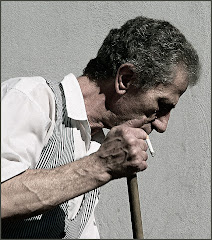
Our photography instructor, an ancient man who smells of tobacco and spits when he talks, comes up behind me. I step aside so he can admire my photographic harvest. He peers at the picture, which is now in the stop bath. He looks at me. He looks back at the picture.

"Got lucky, huh, Thiel?" he growls finally.

Yup. I did. But still -- it's a great picture. It's really good. I have a clear mental image of it still, even though the pic and the friend have slid far out of my life.

There remains something nearly mystical about a well done b&w photo. There's a singularity of vision -- a simplicity that can make your point with dynamic power.

And you no longer need a darkroom to do it. If you own Photoshop CS3, it's as simple as going to Image> Adjustments> Black and White. This adjustment is nearly perfect in CS3. If you are working with an earlier version of Photoshop OR Photoshop Elements, try Image> Adjustments> Hue/Saturation.

If you're ancient like me and still remember how the paper you chose to print affected the final visual, you owe it to yourself to check out http://www.alienskin.com/. This company has issued a filter set called "Exposure" that will create some utterly amazing black and white conversions.

But let's talk about two things that make Photoshop an ideal vehicle for this process:
  • Your ability to select certain portions of the photograph
  • Your ability to decide what percentage (the opacity) of the effect is done.

At the top of this article is a graphic called "Roxy." It's an old theater I saw somewhere in Montana. The pic was taken on a grey day and needed intensive work to punch up the contrast. I also removed the background and inserted a nasty looking sky. To send the graphic over the top, I added a lightning bolt. Finally I selected the sign ONLY and used Inverse (Select > Inverse) so that I could draw MOST of the color out of the rest of the photo.


It's interesting visually -- because it presents an impossible picture. A tired color set against a black and white backdrop.


Don't confine yourself to simply using Black and White. There are a number of very pleasing effects you can get by working with the Adjustments menu -- and if you want to take Alien Skin's Exposure out for a free 30 day test drive -- you'll find even more things you can do. Blues....greys....even greens can breathe fresh life into a tired picture.


This is a big topic. It occupies a significant section in our upcoming "Perfect Portraits" manual, which will soon be available at http://www.photoshopbasics.com/ . (Hint, hint.)

Thursday, November 1, 2007

Plug ins and Growth Pains

Our shiny new site is about a week old. Both Mark (Nearly Famous Webmaster Jedi & Photoshop Basics Partner) and I check the site frequently. It kinda feels like looking in on a baby to make sure that little sucker is still breathing. We get people through -- and this morning, despite the fact that we have only a handful of hearty souls in our membership, I boldly predicted that one day we're going to have thousands of members in the Facebook thingie.

Said "thingie" was created by the above mentioned Web Jedi Fella and will operate on Facebook. While it is true that I don't fully understand what he is talking about so very enthusiastically most of the time (my eyes glass over and I try to make the odd encouraging sound) he tells me Facebook will be a very good thing. Alrighty, Mark. Goodonya. ("Goodonya" is Australian for "Very well then, Web Jedi." I am learning Australian because my wife and I are going there in January....)

ONTO Photoshop.

Filters (also known as "plug-ins") allow you to use Photoshop or Photoshop Elements to do some amazing things very quickly. I've posted links to some of my favorite plug-in options below. We don't get any money from these recommendations, by the way. These are plug-ins that I have purchased and use.


http://www.redfieldplugins.com/
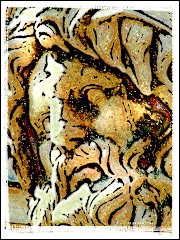
Here’s a great site for a couple of very off-the-wall options. Check out Sketchmaster, which is particularly useful for adding line textures to your pictures. Consider using Sketchmaster on a graphic and then laying it over top of the original picture, and changing the Opacity. You can get some seriously cool things happening. Sketchmaster is one of the very best convert-your-pics-into-sketches options out there.

Flaming Pear http://www.flamingpear.com/ has possibly the worst customer service on the Photoshop planet but a couple of excellent low-cost plug in options. Check out Flood, which creates a watery horizon over any portion of your picture that you choose. Melancholytron is also excellent – despite having one of the all-time dumbest names – for adding atmosphere to your pictures. There are good creative options here as well: Glitterato for creating skyscapes, Lunar and Solar Cells for creating your own planets. Very fast, inexpensive and easy to use.

http://www.alienskin.com/ has to be one of the workhorse applications. Check out their vast library of filter sets. Xenoflex2 is full of memory-eating-but-way-cool effects. The whole Eye Candy set is worth a boo – as is Exposure for creating amazing digital reproductions of different printing processes and photo papers. Excellent company. Very responsive and only a little bit pricey. You can download any set to play with for 30 days. If you are constantly blowing little images up into big images – you REALLY need to consider Blow Up! which will do a fabulous job without any adding distortion. I like Blow Up! much better than Genuine Fractals (which is the other really big blow up plug in thingie.)

http://www.autofx.com/ isn’t cheap. But it’s fun. You’ll find the whole Dreamsuite line worth looking over (DS1, DS2 and DS Gel)…but the plug ins that get my vote are Mystical Lighting and Mystical Tint and Color. You WILL use these. I do…every day. Ghastly expensive – but worth it if you are going to make digital magic. Auto FX doesn't let you download their filters and use them on your own stuff. You get to use the trial version on THEIR photos -- and if memory serves me right -- you can't even save them.

Some of the plug ins from the Dreamsuite line are of the "why-in-heaven's-name-did-they-design THIS?" -- but some are actually quite wonderful. Check out building and fraying your own tape...adding metallic sheens to your lettering...creating a fine plastic-looking gloss to your fonts.

http://www.virtualpainter5.com/ In my mind there is no finer or easier to use plug in on the market for changing your photos into paintings. Here’s an option that offers plenty of flexibility, ease of use and eye-popping results. Forget Alien Skin’s Snap Art and all the other options. You’ll get what you need from this excellent plug in.

http://www.ononesoftware.com/ , the people who bring you Genuine Fractals also offer a masking plug in that isn’t all that good. But they do offer a FABULOUS framing program called PhotoFrame Pro3 which should be the only framing utility you will ever need. Organic, grunge, antique, wood --- SO many options in thousands of possible colors. If you are wanting to add a visual punch to your work, consider this one. It’ll eat 1 GIG of memory – but it’s utterly necessary for those of us who want a good frame once in a while. And let's face it...who doesn't?

http://www.imagenomic.com/ will bring you to one of the best sites for reducing the NOISE in your image. "Noise" is the polite term for "junk that showed up when I wasn't paying attention." We're talking about the grainy bits that have a habit of showing up on our graphics. It is true that the newest Photoshop (CS3) has some wonderful utilities built into it for reducing noise. But Noiseware Standard is also a very good option. Again: fast and easy to use.

Some very original thinking went into http://www.twistingpixels.com/ and when you look at the offerings on this site you will have the idea that they will be really useful. There's a whole plugin set, Pixel Creation, dedicated to creating cool sky effects like the Northern Lights and lovely clouds. Pixel Pack has some really REALLY interesting effects like creation of stains on the graphic and Label Making. Pixel Paper features just about everything you could do to a paper from folding it to burning it to crumpling it up. And the Pixel Sampler is a little bit of everything. These are well priced and easy to use plug ins (which means they fit my top two criteria) and they're a pleasure to use.