Showing posts with label Learn Photoshop. Show all posts

Tuesday, May 13, 2008

Internet Woes...and Whoas!

"They came from all over the continent and beyond. They came with dreams and greed and determination and nearly all of them failed. But for the few, the very chosen few, who had the exact right combination of luck, determination and fortitude, there were riches."

The quote is from a book called "Golden Dreams" by a relatively obscure author with the highly improbable name of Joseph Wrongway. (I suspect Joe has heard every possible joke about his name, so we'll let it go.) He was writing about the gold fields and the prospectors they drew. The perverse thing is that two miners could be literally side by side: one would hit a rich vein and the other would find nothing. (The pic to the right was taken in Alaska, which, frankly is as close as I have ever come to actual gold fields.)

This makes me think of the Internet. If our century has a gold field, this is it. And it's fitting, in some perverse way, that this field doesn't really exist anywhere. You can't GO to the Internet, although you can see it on your monitor. No one really knows exactly what it is because it isn't really just one thing. It's a conduit, I suppose.

It will carry my thoughts as I sit here in my office typing, to you. And it doesn't matter if you are next door or in India. We can still exchange ideas.

Your choice is what voice you choose to listen to...what communities you might want to belong to...what internet stores you choose to support with your hard earned dollars. It's all the Internet. Instant communication...instant information. Anywhere.

I am old enough that I am really impressed with stuff like that.

The Internet is also like the klondike gold fields because there are a few people who will crack the secret code and get rich. I understand the guys who own Google made two billion dollars in one hour when the stock jumped. Those kinds of earnings dwarf even what the richest gold strike of all time earned. And they did it in an hour.

All of the massive companies: Microsoft, Adobe, Yahoo, Dell and so many more make piles of money or send out cost effective precisely targetted email advertising through the Internet.

Amazing.

I started working on Photoshop Basics in 2004 as I remembered how much I struggled in the beginning to learn the simple basics of this great but seriously intimidating program.

I was frustrated. I had expended hundreds of dollars and hundreds of hours trying to figure out Photoshop. The whole thing made me nuts. There just didn't seem to be anywhere that just offered me a SIMPLE and STRAIGHTFORWARD package of information IN ONE PLACE that would show me the basics.

That's why I wrote the first course "Learn the Basics of Photoshop in SIX HOURS." My feeling was that there were some basic things that you HAD to know in order to start using the program properly. So I thought about it for a long time and then wrote them down.

That little course has done pretty well for itself...and that led to more and more courses.

Each one takes somewhere between five hundred to a thousand hours to write. It's not like a novel. You'd be surprised to learn how difficult it is to explain the steps even for something simple like create a new layer.

We've gotten some great feedback on our courses from more advanced users as well.

I don't have any illusions about getting rich doing this. I expect that people will enjoy the courses, maybe share their work. My ultimate plan is to create a community for Photoshop users, new and old, to share ideas and information. To paraphrase myself in the 70's, that whole notion strikes me as "way cool."

At the nexus of everything is involvement. Web Jedi (Mark) and I have put in countless hours trying to make it easy for you to get involved.

We have made sample lessons available for free.

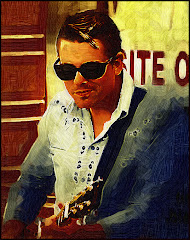
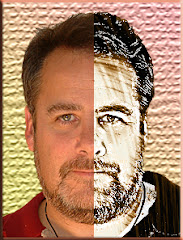
We've just released a great "mini course" that goes into the nuts and bolts of stuff like creating Fantasy Art, totally off the wall text treatments and one of the most interesting portrait treatments you'll see.

It's a course called "Setting Your Brain Free" -- and it's available on our site (http://www.photoshopbasics.com/ ) for $9.95.

Is this an ad?

Sort of. But more than the ten bucks, we'd like to KNOW people are interested in what we're doing and are prepared to give it a try.

We really want to create a community where people can come and talk and share.

But I often have the feeling I am standing on my little six foot square claim on the Internet gold field trying to attract attention while there are six million other people trying to do the same thing.

Mark (website jedi) and I are starting to feel the strain. We don't much want to roll the potentially expensive dice with Google Adwords or the myriad of internet publicity options out there.

If you'd like to be a part of this, you need to let us know. We have email. We have products. We have a website and we'd love to hear from you.

Think about it.

Monday, May 5, 2008

The Ten Commandments of Photoshop

Susan R. from Ohio wrote to ask what would be good advice for a person just starting with Photoshop. First, I’d suggest buying a copy of “Learning the Basics of Photoshop in 6 Hours.” (hint hint)

But here, in no particular order are the commandments I believe have been handed down from Photoshop guru to acolyte for many years now.

1) Thou shalt always work upon a copy of thy original otherwise thou shalt be really annoyed when thou messeth it up.

2) Thou shalt venerate “Undo” as the greatest gift since sliced bread, for “Undo” doth maketh thy stupid mistakes disappear.

3) Thou shalt take time to learn thy shortcuts, for verily, thy shortcuts shall prevent thy fingers from wearing down to little nasty stubs and save thee a whole bunch of time.

4) Thou shalt use thy eraser and, indeed, any other repetitive Photoshop tool, in little bursts. That way when thou doth screw up thy image (and thou wilt at some point) one “Undo” command shall only lose thee a little work instead of a great smoking pile of careful and time consuming labor.

5) Thou shalt keep thy original files in a perfect, unchanged state. Yea, verily, for with this thou hast ensured that thou canst access them again if thou wantest to and will not call thyself a moron for having overwritten them.

6) Thou shalt save two copies of thy work. The first copy shall be thy finished work. The second shall be in Photoshop format with thy layers unflattened. For if thou findest out that there is only one “s” in the word “mistake” thou canst fix it quickly and not be forced to look upon thy error for all time…or startest over from the beginning with great cursing and gnashing of teeth.

7) Thou shalt keep thy finished work and original graphics safe upon an external drive. For in this way, shouldst thou dropest thy computer and wrecketh thy drive thou shall still have thy work safe.

8) Thou shalt “Save” frequently. For all wise artists doth know that all computers are inherently evil machines that occasionally crash. If thou hath “saved” thy work, thy work hath been saved indeed. If thou hath not saved thou art screwedeth.

9) Thou shalt take time to learn the rules and then thou shalt break them. For in this way true art is created (and also a lot of poop.) Thou shalt seek to create very cool stuff and forgive thyself for thy poop. Thou shalt also keep thy poop to thyself and avoid attempting to talk others into seeing thy poop as art. For yea, verily, poop is poop.

10) Thou shalt have fun. For thou art blessed to be creating art with Photoshop and verily, what’s not to like?

Thursday, November 1, 2007

Plug ins and Growth Pains

Our shiny new site is about a week old. Both Mark (Nearly Famous Webmaster Jedi & Photoshop Basics Partner) and I check the site frequently. It kinda feels like looking in on a baby to make sure that little sucker is still breathing. We get people through -- and this morning, despite the fact that we have only a handful of hearty souls in our membership, I boldly predicted that one day we're going to have thousands of members in the Facebook thingie.

Said "thingie" was created by the above mentioned Web Jedi Fella and will operate on Facebook. While it is true that I don't fully understand what he is talking about so very enthusiastically most of the time (my eyes glass over and I try to make the odd encouraging sound) he tells me Facebook will be a very good thing. Alrighty, Mark. Goodonya. ("Goodonya" is Australian for "Very well then, Web Jedi." I am learning Australian because my wife and I are going there in January....)

ONTO Photoshop.

Filters (also known as "plug-ins") allow you to use Photoshop or Photoshop Elements to do some amazing things very quickly. I've posted links to some of my favorite plug-in options below. We don't get any money from these recommendations, by the way. These are plug-ins that I have purchased and use.


http://www.redfieldplugins.com/
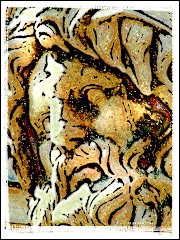
Here’s a great site for a couple of very off-the-wall options. Check out Sketchmaster, which is particularly useful for adding line textures to your pictures. Consider using Sketchmaster on a graphic and then laying it over top of the original picture, and changing the Opacity. You can get some seriously cool things happening. Sketchmaster is one of the very best convert-your-pics-into-sketches options out there.

Flaming Pear http://www.flamingpear.com/ has possibly the worst customer service on the Photoshop planet but a couple of excellent low-cost plug in options. Check out Flood, which creates a watery horizon over any portion of your picture that you choose. Melancholytron is also excellent – despite having one of the all-time dumbest names – for adding atmosphere to your pictures. There are good creative options here as well: Glitterato for creating skyscapes, Lunar and Solar Cells for creating your own planets. Very fast, inexpensive and easy to use.

http://www.alienskin.com/ has to be one of the workhorse applications. Check out their vast library of filter sets. Xenoflex2 is full of memory-eating-but-way-cool effects. The whole Eye Candy set is worth a boo – as is Exposure for creating amazing digital reproductions of different printing processes and photo papers. Excellent company. Very responsive and only a little bit pricey. You can download any set to play with for 30 days. If you are constantly blowing little images up into big images – you REALLY need to consider Blow Up! which will do a fabulous job without any adding distortion. I like Blow Up! much better than Genuine Fractals (which is the other really big blow up plug in thingie.)

http://www.autofx.com/ isn’t cheap. But it’s fun. You’ll find the whole Dreamsuite line worth looking over (DS1, DS2 and DS Gel)…but the plug ins that get my vote are Mystical Lighting and Mystical Tint and Color. You WILL use these. I do…every day. Ghastly expensive – but worth it if you are going to make digital magic. Auto FX doesn't let you download their filters and use them on your own stuff. You get to use the trial version on THEIR photos -- and if memory serves me right -- you can't even save them.

Some of the plug ins from the Dreamsuite line are of the "why-in-heaven's-name-did-they-design THIS?" -- but some are actually quite wonderful. Check out building and fraying your own tape...adding metallic sheens to your lettering...creating a fine plastic-looking gloss to your fonts.

http://www.virtualpainter5.com/ In my mind there is no finer or easier to use plug in on the market for changing your photos into paintings. Here’s an option that offers plenty of flexibility, ease of use and eye-popping results. Forget Alien Skin’s Snap Art and all the other options. You’ll get what you need from this excellent plug in.

http://www.ononesoftware.com/ , the people who bring you Genuine Fractals also offer a masking plug in that isn’t all that good. But they do offer a FABULOUS framing program called PhotoFrame Pro3 which should be the only framing utility you will ever need. Organic, grunge, antique, wood --- SO many options in thousands of possible colors. If you are wanting to add a visual punch to your work, consider this one. It’ll eat 1 GIG of memory – but it’s utterly necessary for those of us who want a good frame once in a while. And let's face it...who doesn't?

http://www.imagenomic.com/ will bring you to one of the best sites for reducing the NOISE in your image. "Noise" is the polite term for "junk that showed up when I wasn't paying attention." We're talking about the grainy bits that have a habit of showing up on our graphics. It is true that the newest Photoshop (CS3) has some wonderful utilities built into it for reducing noise. But Noiseware Standard is also a very good option. Again: fast and easy to use.

Some very original thinking went into http://www.twistingpixels.com/ and when you look at the offerings on this site you will have the idea that they will be really useful. There's a whole plugin set, Pixel Creation, dedicated to creating cool sky effects like the Northern Lights and lovely clouds. Pixel Pack has some really REALLY interesting effects like creation of stains on the graphic and Label Making. Pixel Paper features just about everything you could do to a paper from folding it to burning it to crumpling it up. And the Pixel Sampler is a little bit of everything. These are well priced and easy to use plug ins (which means they fit my top two criteria) and they're a pleasure to use.

Tuesday, October 30, 2007

Why Photoshop? How about Photoshop Elements?

I get asked this a LOT: "Do I REALLY NEED Photoshop? Can I make do with Photoshop Elements?"


The people asking this question are usually regarding me with glassy eyes, since they have found out how much Photoshop costs. Yup. It's expensive.


The kneejerk response is to add "But it's worth it!" This is the part where digi-geeks go on (and on) about how it's the World Standard for Digital Editing. You add that it's used by many of the top advertising and graphic houses around the world.

Uh huh.

But the question remains: "Is Photoshop WORTH $700?"


The real answer: "It depends. Is it worth it to YOU?"


Aha. Caught you off guard, huh?


Photoshop is worth the money if you want to be able to do ANYTHING with your image...and if you are willing to put in the many hours it will take for you to really learn how to use it.


It's true that you can learn the basics very quickly (hence the course we sell called "Learn the Basics of Photoshop in SIX HOURS: from our website at http://www.photoshopbasics.com/ ).


But let's face facts: not everyone is going to want to invest the time and the money in using Photoshop. It's kind of like buying a Corvette so you can drive to the grocery store every other Sunday.


Photoshop Elements has a lot going for it. In the first place: it's MUCH more user friendly. The folks at Adobe have tried to anticipate what kind of projects you are going to be working on...and they've worked hard to make it easier for you to use.

Layers work. And you get many of the Way Cool tools available in Photoshop.


You can use ALL the third party filter sets in Elements. There are a lot of Photoshop users -- me included -- who use filters a LOT. (Filters, also known as "Plug ins" are third party software packages designed to work from within Photoshop to help you do seriously cool stuff very quickly.)


Many people have cut their digital editing teeth on Elements and moved up to Photoshop when they had the basics down. There's a lot of power under that Elements hood.


It's true that some of the very cool Bells and Whistles from Photoshop are missing from Elements. But let's face it: you won't miss what you never knew. AND if you DO move up to Photoshop, the learning curve will be significantly easier. (IE You won't be throwing up when you look at the screen for the first time.)

Best of all -- all our courses work with Photoshop or Photoshop Elements.


And there's the difference in COST -- with Elements coming in at less than a third the cost of Photoshop.


But having said all that, I have to admit that I would never use Elements if Photoshop were available. But I'm a digi-geek, lacking social options that would drag me away from my computer. I love bells and whistles. I like all my adjustment layers and ALL the available tools in my trusty little cyber toolbox.

Short answer? Photoshop is worth it if you are gonna use it. Much better to give it all a try on Photoshop Elements and see if you get digi-fever. (You'll know because you'll be up all night, develop a craving for high sugar sodas and Doritos.) THEN make the investment.

If you can't wait a single second longer -- keep in mind that you can download fully functioning 30 day TRIAL versions of Photoshop as well as Photoshop Elements from Adobe at http://www.adobe.com/

Monday, October 29, 2007

Gee...ANOTHER Photoshop Blog

Whatever would possess a man to start a NEW BLOG in this day of millions and millions of blogs?

Two things.

FIRST: I remember how tough it was to get a handle on Photoshop in the beginning. My choices for "learning how to do stuff" came from three sources. I could battle my way though dry dry manuals written by joyless people. I could pick up a few instructional gems on-line for free (and find myself added to dozens of SPAM lists). OR I could spend time with well meaning but misinformed instructors who offered their "expertise" for free.

Learning Photshop is tough.

SECOND: I am hoping that you like what you see here enough that you will come to my website at http://www.photoshopbasics.com/ and learn a little more about this great software.

When I was starting with Photoshop, I was surrounded by people who knew WAY more than I did about it. Much of what I learned was absorbed and gleaned from listening.

Wouldn't it be GREAT to create a community for people who are brand new to Photoshop? People could trade ideas...concepts...they can learn new techniques...they could post their art.

Photoshop gives your imagination wings. Honest. If you can visualize it...you can create it.

You won't have to deal with condescending "experts" here or there. I promise.

So that's what my main site is about. We've set up a Facebook community as well as creating publishing some downloadable courses. Click on the link above to find out more. (You KNOW you want to...)

THIS site is designed to record some of the growth pains of trying to set up a Photoshop basics site...you'll find all the actual instruction in Photoshop at http://www.photoshopbasics.com/.

This site exists to draw you to that one...and to allow one voice to float around cyberspace and chronicle the growth pains.

Photoshop Basics actually began around the year 2000. I had this idea that I COULD have learned all the stuff I NEEDED to know in about six hours.

1) You need to know where the Important Stuff is.
2) You need to know what the Important Stuff does.
3) You need to know how to SELECT Stuff.
4) You need to know how to CHANGE Stuff (y'know...Filters, plug-ins and the like)
5) You need to understand LAYERS...because that's what gives Photoshop it's creative wheels.

That's it. Beyond all this -- it's all blah blah stuff.

So the first inception of the site was developed with the aid of a webmaster from Halifax who didn't listen to anything I said. People had to order the courses and wait for the discs to arrive. (Memory size on these courses was MASSIVE because I wanted the Basics Course to have full screen "live" tutorials.)

I sold some.

THEN, about six months ago, I chose to take on a partner who knows much more about things of the Web than I do. Our shiny new site us up and running as of last week. The Facebook community is up -- and hopefully we'll see YOU there.

People can download courses now. That means I don't have to be burning discs all the time and hotfooting it over to the post office with orders. We've even revised the payment system so people can work with PayPal instead of the payment people we HAD been working with.

Will you, good reader, take a second to go to our new site? We'd really appreciate knowing what you think. You'll find regular postings of reviews and basic techniques there.

I'll continue here because it feels kind of good. Even if there is a very good possibility that I am talking to myself.

Ahem.