Showing posts with label Auto FX. Show all posts

Sunday, April 25, 2010

Mystical Focus from Auto FX

It's been a bumper crop for new releases from the long silent Auto FX. You'll see information on Mystical Lighting & Ambiance 2.0 a little further down. But brand new on the market is another package called Mystical Focus.

I spent some time with Auto FX's Cliff Weems and asked him about Mystical Focus.

What sets this Mystical Focus apart from other options on the market?

Our framework allows us to dynamically render and combine different filters together. We can combine a Focal Plane with a Focal Brush effect then add in a Panning Focus to just a small part of the image. We have robust brush-on / brush-off tools as well as ellipse controls / path controls and focal mask controls that are really easy and fast to work with.

There is another release on the market that seems to have a similar "focus." How does Mystical Focus compare to Alien Skin's Bokeh release?

Jeff Butterworth has done a fantastic job with all the plug-ins at Alien Skin - they are a top notch company and we like all of their products. Our Focus has taken a creative approach to setting moods and looks and combining different filters together to generate new and exciting looks. Bokeh has taken more of a traditional approach to matching the camera lens types that a photographer can identify with.

When Bokeh was launched, the reaction from some parts of the market were "I can already do that in Photoshop." Can people make the same comment about MF?

If you take enough time you can do just about anything in Photoshop - but we have some looks that you'd be hard pressed to duplicate in Photoshop without spending tons of time. You can rapidly (in just a minute or less) combine filters and capture a look - I will stress that Mystical Focus is not a collection of Blur filters - it is MUCH, MUCH more.

What was the toughest part of this development?

Capturing the looks and making it easy to just brush-on / and go. Our customers need a FAST solution that lets them get creative right without spending a lot of time trying to get what they want. I am really anxious to see our multi-core engine come out as that will make much of our software close-to-real time and we want to do this for our customers very soon.

Who's the primary market for this package?

We see this being attractive to photographers who are both novice and looking to capture some high-end professional looks and moods as well as being attractive to the pro who values the artistry of the software and how it can help them in post-production. Even the best photographer / Photoshop artist has one commonality - saving time while providing a superior end-result / work of art to their customer.

That's it for the interview with Cliff Weens of Auto FX.

I've been working with Mystical Focus for a week and a half now, trying out the various filters.

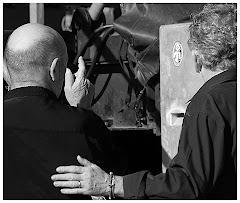
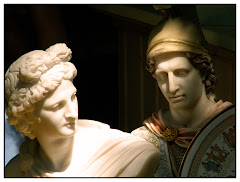
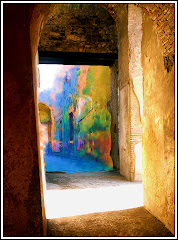
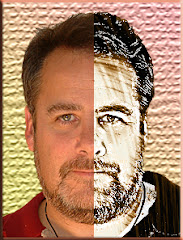
The effect at the top of this posting was accomplished in less than a minute. It uses the Radial Focus, which has a "global effect." An Ellipse can be applied to change the effect of the blur on the image.

The filter applies with lightning speed and I have been utterly delighted with how quickly professional effects can be applied and then customized to suit the precise parameters of the project.

There are eight Focal effects simulating a really broad spectrum of results.

The really interesting options are presented under the Atmosphere Menu. Here are six outstanding options that add the kind of stuff you expect like "Grain and Noise" to stuff you never expected like Highlight Smear and a Vignetting option guaranteed to blow your socks off.

Here is a filter set that hits a home run in areas like ease of use, and application speed. The interface is intuitive and extra Auto FX touches like instant explanation of the control your cursor is resting on eases the learning curve very significantly.

It's a package designed to save you time, vast amounts of it, even as it delivers genuinely clean and easy-to-customize results.

Overall rating: 9/10

You owe it to yourself to take a hard look at Mystical Focus. It's one of the best new filter sets on the market. It's selling for $149. You can get an additional 10% off using a time limited code.

If a rich relative has died, or you are casting about for something worthwhile to "invest" that income tax refund money in, you may even want to consider the whole Mystical Suite, composed of Mystical Lighting & Ambiance 2.0, Mystical Tint Tone and Color 2.0 and Mystical Focus. This suite is marketed for $399.00 and qualifies for the 10% discount.

Auto FX makes some of the most inventive software around for graphic designers and photographers. Take a few minutes to download the demo version. And let me know what YOU think, okay?

As Weems said, the real power of this package, in addition to the speed and specialization of the effects, is in the ability to blend them. Layers can be created within Mystical Focus and then blended and combined with other effects from the Atmosphere menu OR any of the other Mystical Suite effects. As you can probably tell: I really like this whole package.

Find all the goodies at www.autofx.com

A FINAL NOTE ABOUT REVIEWS: I don't make anything for recommending or reviewing the software on this site. I don't get a commission and you will notice there are NO banner ads for any of the software companies -- even the ones I like. I know times are tight for a lot of us in the design/photography field and it's important that you be able to trust someone to tell you what they REALLY think.

Monday, April 19, 2010

Mystical Lighting and Ambiance 2.0


Doing a review of Auto FX releases is sort of like trying to count chickens. You think you're done -- but you inevitably see something new. The reason? There are simply too many things to look at and evaluate if you're going to do a thorough job.

Regular readers of this blog (and who isn't...?) know that Mystical Lighting 1.0 is one of my absolute favorite utilities. Often a simple nudge from one of the utilities in Mystical Lighting can be used to make any image really pop.


So I was delighted to get the latest "Mystical Lighting & Ambiance 2.0" just before I left for Florida. It gave me an opportunity to really play around (oops...I mean "Make a meaningful examination of...") this filter set.

It's split into three broad categories.

LIGHTING
This is where 1.0 really shone. (Pun intended.)It's where 2.0 shines as well. There are a number of outstanding "easy to use" lighting effects. In 2.0 you can brighten highlights, infuse the image with wonderful warm sunlight -- a total of 14 different effects are here.

Admittedly, some will be very specific in their applications -- but I think most graphic artists and photographers will find really useful options here. Effects can be subtle or "in your face" splashes of color and light.
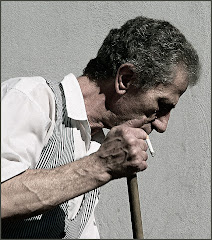
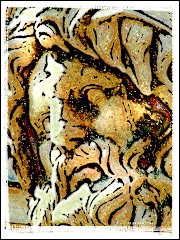
I very much like what has been done with my favorite from 1.0: radial light caster. Very simple to use -- and much more easily customizable in 2.0. "Light in the Dark" and "Mood Lighting" are both excellent utilities. They are not as easy to use as other filters in the set. But you'll be wise to spend a few minutes learning them.

SHADING
Here's where the real treasures lie in 2.0. You can create vast mood and atmosphere with the careful application of what's waiting inside this category. Try Black Shade for instant jaw dropping atmosphere...or try Shadow Play to take your images to whole new levels. There are 5 very good shading options here.

AMBIANCE
Here's where I found myself really looking forward to seeing the new stuff. There are eight options here. Add Ethereal lighting...or paint with rainbows and mist. I found it fairly similar to 1.0 in many respects -- although it's a package geared to allow for easier, faster customization of effect.

Some software manufactures issue upgrades with cosmetic changes, but very little little that is actually NEW. Mystical Lighting and Ambiance 2.0 isn't one of those. A lot of thought went into each filter, and how best to create practical applications. Overall, it's a good upgrade. If you haven't had this filter set in your arsenal at all -- you really need to give it your attention.

If you're considering upgrading from 1.0, let me suggest that you download the demo from Auto FX and look it over. There's some great new stuff here which, to my mind, easily justifies the upgrade price. (There are some time sensitive discounts available as well. Check out the interview with Cliff Weems just below.)

Did Mystical Lighting and Ambiance blow me away? Not exactly. But in all fairness, my expectations were so high, and my use of 1.0 so common, I don't know what Auto FX could have done to send me into the "Blown away" zone -- as they did with their outstanding upgrade to Mystical Tint Tone and Color.

As with all filter sets from Auto FX, you really need to sit down and take a hard look at each option, spending a little time on learning how to use it properly. It's an excellent investment of time.

In summary: great creative options here. You can build fabulous atmosphere into your images with just a few keystrokes. Smart designers will really make a study of the many options built into this upgrade to learn how to use them most effectively.

Overall rating: 8.5/10

Saturday, April 17, 2010

Auto FX Releases a New Mystical Lighting Package


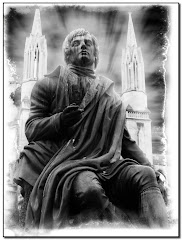
Here's Mary Poppins. Okay. She's an actress in the role of Mary Poppins at Disney's Magical Kingdom. I used ONLY filters from Auto FX in the processing of this image. Specifics on this later in the week.

I've been in Florida for nearly a week poking around. Just before I left, I had the opportunity to download the latest Mystical Lighting & Ambiance package from Auto FX.

It's a package I've been looking forward to for months. You'll recall that Auto FX launched the blockbuster upgrade to the lackluster Mystical Tint Tone and Color 1.0 and blew me away.

I've been working with a hands-on copy of ML&A for a week now. My review of the package will be published next week. But in the meanwhile, I had an opportunity to chat with Cliff Weens of Auto FX about their package. Here it is:

1) What are you MOST proud of in Mystical Lighting 2.0?

The photo-realistic, natural way in which our light rendering engine capture the essence of real-life streaming light.

2) What are the three most significant differences between 1.0 and 2.0 in your view?

Number one would have to be the interface with features like the Brush Palette and new brush shapes. Number two would be the new atmospheric effects and the addition of over a dozen new filters in the suite. Number three would have to be the way it is integrated into the Mystical Suite allowing you to combine Mystical Lighting and Ambiance 2.0 with 80 other filters from the Mystical Focus and Mystical Tint Tone and Color suites. This gives the new version of Lighting a vast amount of power as you can add Focal effects and Color and Tonal effects to set the scene up for a photo-realism that is really beautiful to see.

3) Was "ease of use" a key consideration in your development of 2.0?

Absolutely - we wanted to proceed the first version which was released 7 years ago with something worthy of an upgrade ... we wanted to make it as easy as humanly possible so we worked really hard to improve the look and feel of the interface.

3a) Are there significant changes to the user interface?

One of the features we really liked in this release was the larger Before / After presets that let the user select from our instant presets or save their own and see the original then the effect version of the preset. It makes storing the instant presets so much nicer.

4) Has processing speed been enhanced?

By around 30%. We do have a multi-core version releasing this summer that is a free update - it has an extremely fast performance ratio and will improve speeds up to 5x faster on just about every effect and on some it will be close to real-time.

5) You've added "Ambiance" to the title. What are the key package differences that led to this?

When you see how Mystical Lighting can set the mood for the scene you immediately see where the Ambiance idea comes from - the new atmospherics are also a part of this name addition.

6) Which of the filter options do you use most often?

I am a huge fan of Light in the Dark and the Rainy Light / Haze filters as they add lots of drama to a scene.

7) What were the big challenges in developing the new package?

We spent lots of time with studying what we had already done and how it was being used - this meant seeing photographers like Lisa Jane (http://www.lisajane.com/) were using our solutions in their workflow.

8) What's BRAND NEW in Mystical Lighting 2.0?

We added twice as many effect filters. The new Snowy Light / Rainy Light let you stream lighting and rain / snow across your scene so you can really create some amazing looks.

9) Where do you see the primary applications for the filter sets?

Setting the tone and mood for a photo in a post-production environment. Many times studio photographers don't want to setup a fog machine and try to fight with creating real haze in the studio. Or when on an outdoor shoot they can't always control the lighting ... Mystical Lighting and Ambiance gives the photographer the ability to control this aspect of their work in a digital suite of filters.

10) Can upgrades be made on-line?

Sure can ... we have the upgrade priced at $129 and it is downloadable as well as available in a physical copy too.

11) Any purchase discounts available?

Sure are - between now and July 30, 2010 users can upgrade or purchase a new copy with a 10% discount if they use coupon code: P24568

12) What's next for Auto FX?

We're working heavily on the 64 bit Mac version right now (out in a couple of weeks) as well as making sure support for CS5 is rock-solid. We also have a team working on multi-processor support with a new rendering engine that is very fast. So the biggest work we have are the optimizations we're applying across our portfolio of over 150 filters.

That's the interview. The review comes next week, and will probably be composed on a plane in the middle of the night.

Auto FX has also released an interesting little "Mystical Focus" package. We'll have information on that next week as well.

Sunday, July 5, 2009

Something NEW from AutoFX

We interrupt our regularly scheduled program for an update.

I have been trying to figure out how for nearly a week exactly to write this. I want to tell you about the newest addition to the Auto FX stable: an update to its highly successful Mystical Tint, Tone and Color line.

I have been trying to work out where to start. Why? Because it’s daunting, that’s why.

This is a freaking HUGE program. We’re talking 60 individual filters spanning everything from a “genuine blow you out of your socks” Portrait set, to a single stroke HDR component set.

There are filters that add a perfect blending of light and atmosphere like “Afternoon Sun” to an utterly astounding…and I choose those words very deliberately because I mean STUNNING set of Smoothing filters.

So you see my quandary. Where do you start? There’s no way to cover them all here.

Let me start this way: go DIRECTLY to www.autofx.com and download the demo and play around…oops…I mean make a meaningful examination of these filters. The demo allows you to load your own photos. But you can’t save your work, which is a bit of a bummer. Many companies let you have fully functioning software for a month. I would guess that once you see what this set does you’ll have no problem buying it.

Once you start working with them – indulge yourself and go deep down the rabbit hole to start blending different effects to achieve some amazing graphics.

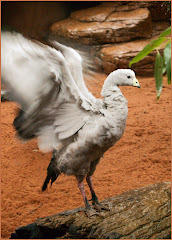
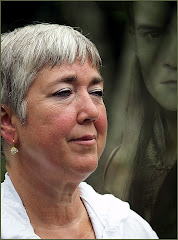
The image at the top was a relatively uninteresting black and white shot. This shot encompasses several filters. There’s my absolute favourite: “Afternoon Sun” blended with three other filters to achieve a wonderfully lit, perfectly shadowed image.


The great thing…I mean the REALLY great thing…about these effects is the way they work together. You can stack them, change their layer order, work with their opacity until you get the precise effect you are aiming for.

If you do Portrait work, you will be fighting to get your wallet out for the Portrait filters alone. These eight filters were designed in concert with working portrait photographers and it goes light-years beyond any other filter set available.

Enhance hair, eyes, smooth skin…even enlarge features on your subject.

This set alone more than justifies the price if you do portrait work. The time saved and the glossy pro effects will pay for the whole set within just a few uses.

As with other AutoFX software, it’s not plug and play stuff. You’ll have to take some time to sit down with the manual and learn how to use it. But we are talking time and money well invested.

Here’s an overview:

COLOR EFFECTS: There are sixteen of these designed to add new dimensions to every photo. The star of the set for me is “Afternoon Sun.” It’s a lighting effect…it’s a mood setter and it will blow you out of your socks when you apply it to a black and white photo. A sample is at the top of this column. It HAD been a relatively uninteresting black and white. Afternoon blew it into a whole ballpark.

TINTING: These are six filters that add subtle touches to your image. Used properly, they will create a professional sheen on your shots. You really have to take time to look these over and learn how to use them properly.

TONAL EFFECTS: These blow contrast magic all over your work. The star of this set is High Key Blast. This trendy treatment is being done badly all over the place. This filter makes it easy to achieve something amazing. Add a little grain and you will be astounded at the effect you can achieve in just a few keystrokes. There are eleven of these filters.

There are two filters: a Polarizing filter and a Graduated Filters.

There are four Sharpening filters.

There’s way too much to summarize in a review or ten reviews.

This is a five star offering, a blessing to working pros, artists and photographers.

It’s not cheap: the full version is $249 USD and an upgrade will run you $129 USD. But these are professional quality effects and if you’ve been kicking around Photoshop as long as I have, you know you get what you pay for.

Is it worth the price? Have a look for yourself. The demo’s free. At least you owe it to yourself to take a look at this set.


Cliff Weems of Auto FX told me they are working on an update to Mystical Lighting which, as I have said before, is one of the most useful filter sets anywhere.

We’re looking forward to seeing this one too.

So go.

Go now.

Download the demo.

Have I ever steered you guys wrong?